HOW TO USE YOUR MOBILE DATA CONNECTION FOR BROWSING INTERNET ON YOUR COMPUTER
Step 1: Connect your mobile phone to the PC via Infrared or bluetooth or USB cable. Once you connect you phone to PC, Windows automatically installs the necessary modem drivers for your mobile phone. Make sure your mobile phone is gprs or 3g enabled and can be used as a modem.
Step 2: On the PC, go to the Networking section of the Control Panel (Start > Settings > Control panel > Network Connections) and click“Create New Connection” and the following dialog box will open after you click next in initial Screen.
Now do as following :-
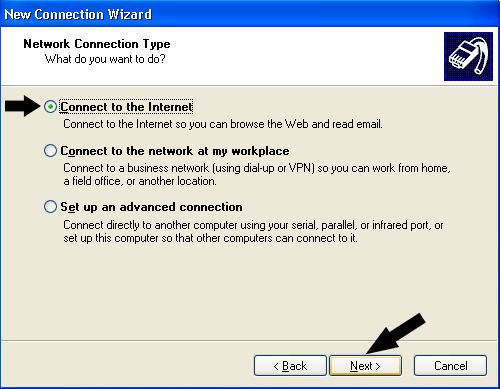
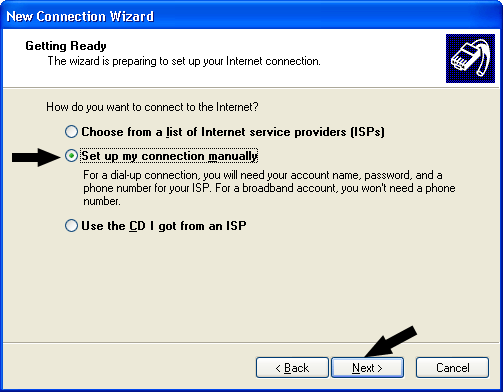
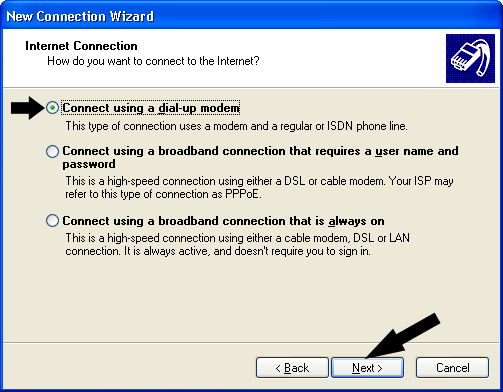
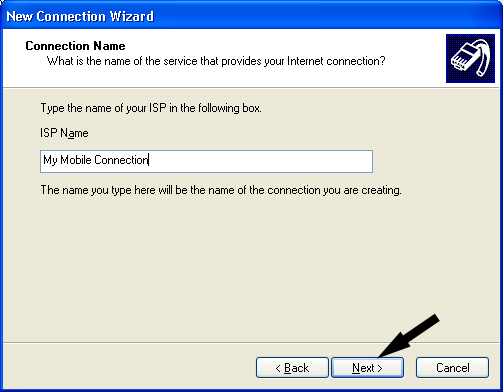
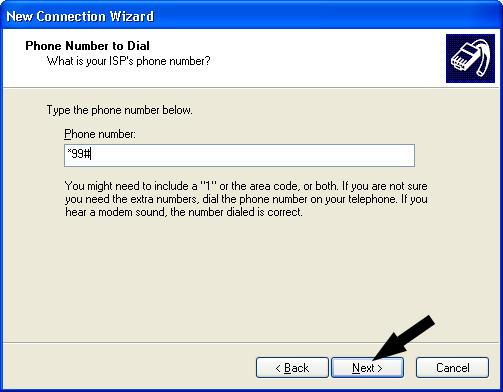
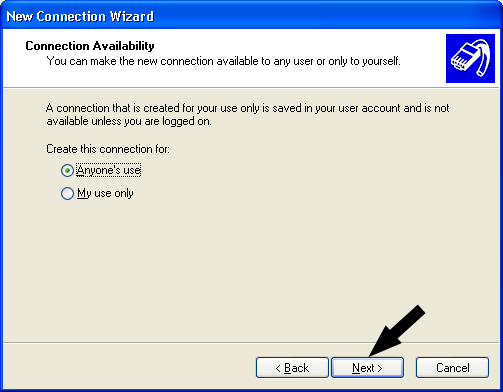
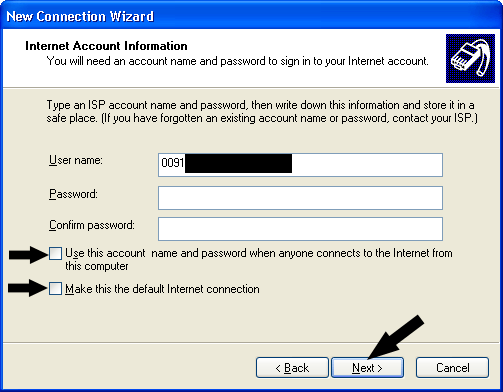


Thats all you have do. After selecting OK. You can use the connection as a dialup connection.
Whenever you dial up the connection, you will find that phone internally gets connected to the GPRS or other data service you are subscribed to and the same is transferred to your desktop computer.
Now this option is available all over the world. This way you can use your mobile internet connection at office or any place where you dont have access to certain websites. Also if you have different ISP connection, you can also browse the website blocked by one ISP and unblocked by other.
BERITA LENGKAP DI HALAMAN BERIKUTNYA
Halaman Berikutnya

0 Response to "HOW TO USE YOUR MOBILE DATA CONNECTION FOR BROWSING INTERNET ON YOUR COMPUTER"
Posting Komentar